MAC.BID
- 4.6
- Rating
- 500.00K
- Installs
- Free
- Price

 Analysis by App-foxy
MAC.BID is a shopping app built around auctions rather than ordinary checkout browsing. I found the idea immediately appealing: instead of searching a fixed-price catalog and paying whenever I feel ready, I can look through available lots, decide what interests me, and take part in bidding. That makes the experience more active, but it also means the app rewards patience and attention more than impulse buying.
The app is free, aimed at everyone, and developed by MacDiscount. It has been available since January 26, 2018, and its current version is 5.0.10. With an average rating of 4.1 from around 15 thousand ratings and more than 500 thousand installs, it has clearly attracted a substantial audience. I would describe it as a useful option for curious bargain hunters, provided they are comfortable with the uncertainty that comes with auctions.
Getting from installation to your first worthwhile bid
I treat the first session as a chance to learn how an auction is presented, not as a race to place a bid. I would pick a familiar product, read its listing carefully, and decide what would make it worth pursuing before I get drawn into the bidding. That gives me a practical baseline for judging whether the app’s auction rhythm suits me.
You May Also Like

 AccuWeather: Weather Radar
AccuWeather Review: A Quick, Clear Forecast for Everyday Decisions
For everyday plans, the best forecast is the one you can understand quickly. AccuWeather makes rain timing, radar, and local conditions easy to act on, with a few trade-offs.

 Hill Climb Racing
Why Hill Climb Racing Still Turns Crashes Into One More Run
A tiny car, a bumpy hill and one more upgrade: Hill Climb Racing keeps resurfacing because its simple chaos makes every near-miss feel personal.

 AliExpress - Shopping App
AliExpress Makes Global Shopping Feel Personal, but Shoppers Bear the Risk
AliExpress turns a global marketplace into a pocket-sized discovery engine. Its reach is useful, its shopping loop compelling, and its trade-offs easy to miss.

 Lords Mobile: Kingdom Wars
Lords Mobile Is a Kingdom-Building Routine, Not a Quick Match
A case-by-case verdict on the building, battles, device demands, and social commitments that make Lords Mobile rewarding for some players and exhausting for others.

 PDF Scanner app - TapScanner
TapScanner Makes Paperwork Easier to Capture, Check, and Share
TapScanner makes scanning with a phone feel less like a rescue operation and more like a dependable step in getting work done. Its capture tools are useful, though not flawless.

 Block Blast!
 Shows How Much a Puzzle Game Can Leave Out
A quiet grid game shows why puzzle players increasingly value instant clarity, repeatable skill and low-pressure play—and where the genre still needs to catch up.
More From Our News Desk
View All News


What the shopping experience feels like
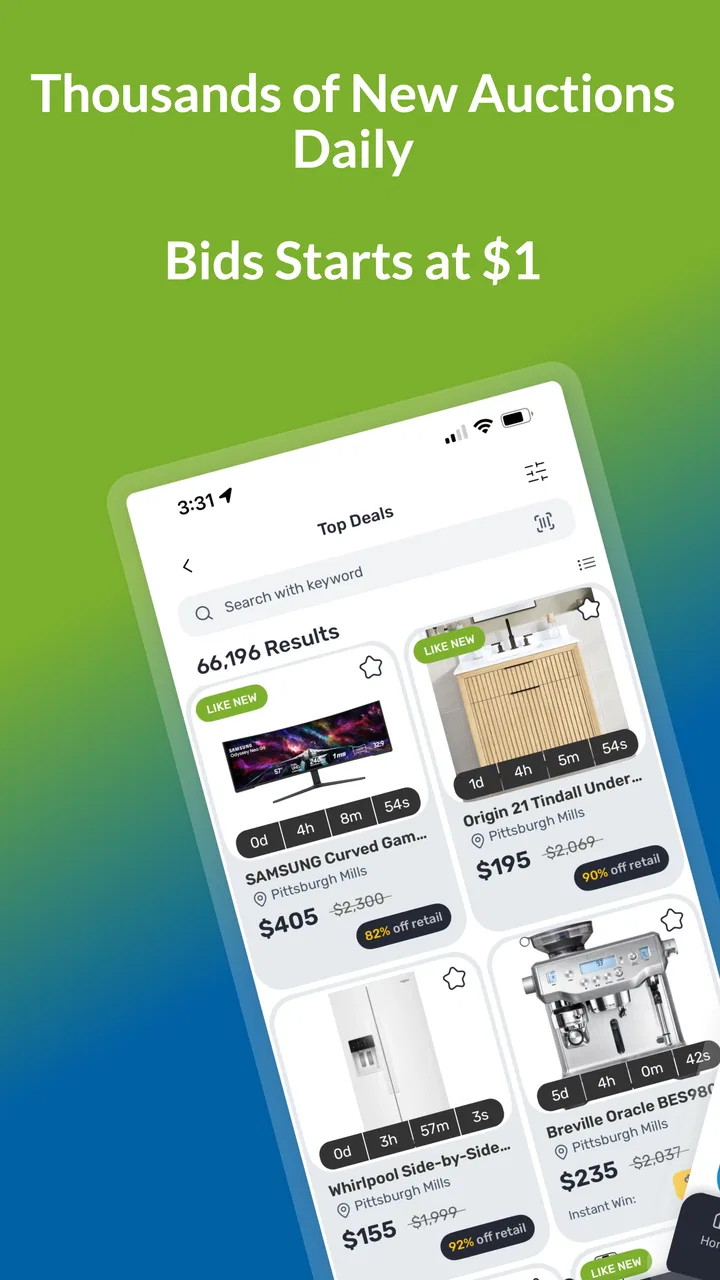
My first impression is that MAC.BID is less like a conventional retail app and more like a constantly changing marketplace. The central attraction is the flow of auctions: products appear, bidding activity changes their position and appeal, and the value of an item depends on how carefully I judge the opportunity. The store summary points to thousands of daily auctions, so the app is designed for regular browsing rather than a single visit when I already know exactly what I want.
That difference matters. In a normal shopping app, I usually compare a few prices, add an item to a cart, and finish the purchase. Here, the important decision comes earlier: is this lot worth following, and how much effort should I spend watching it? I need to think about the item itself, the current bidding situation, and whether winning it would genuinely be useful to me.
I also would not treat every low-looking bid as an automatic bargain. An auction can look exciting because the current amount appears attractive, but the final value depends on the outcome and on the conditions connected with the purchase. The sensible approach is to use the app as a discovery tool first. I browse, identify products I would actually use, and only then consider participating.
The best mindset is “research first, bid second.” That simple habit prevents the most common mistake: becoming interested in an item only because it is currently attracting attention. MAC.BID works better when I begin with a need or a clear limit, not with the excitement of seeing a moving auction.
What to do after installing it
After installation, I would give myself a few minutes to understand the layout before trying to win anything. The first useful task is not placing a bid; it is learning how the app presents auctions and how I move from a general list to a particular lot. I would look for products that match my normal shopping habits and open several examples rather than judging the service from one item.
This short tour helps answer practical questions early. Can I recognize when an auction is still active? Is the product information easy for me to scan? Do I understand where the current bid is shown and where an action would be confirmed? These details are more important than the visual appeal of the catalog because a rushed tap can change the result of an auction.
I recommend beginning with a category that is familiar to you. If I already know what a household item, accessory, or everyday product normally costs, I have a useful reference point. If I start with an unfamiliar product, it is much harder to tell whether a possible win would be worthwhile. Familiarity turns the first session into a learning exercise instead of a guess.
The app is free to install, but that should not be confused with every possible shopping outcome being free. Auctions involve purchasing decisions, so I would read the information attached to each lot carefully and make sure I understand what happens after a successful bid. A free app can still lead to a real spending commitment, and that is especially easy to forget when the interface feels game-like.
Finding a first meaningful success
For a first attempt, I would not chase the most popular or most dramatic auction. I would choose something practical, easy to evaluate, and useful even if it does not become an exceptional bargain. That gives me a better way to learn the process. The goal is not simply to win; it is to complete the journey from finding a suitable lot to understanding what a successful result means.
Before bidding, I would note the product details and decide on a personal ceiling. I would not change that ceiling just because the auction becomes more competitive. This is one of the strongest differences between MAC.BID and fixed-price shopping: the app can encourage me to react to other bidders, while a normal store usually presents a clear price and lets me accept or reject it.
A useful everyday scenario would be replacing a small household item that I already planned to buy. I could browse MAC.BID during a quiet moment, find a suitable listing, compare its description with what I need, and follow the auction without treating it as entertainment. If I win within my limit, the result feels meaningful because the item solves a real problem. If I do not win, I have lost less than I would by bidding emotionally on something I never intended to use.
I would also avoid placing a bid before checking the entire item page. Product photos can attract attention, but they are not enough for a buying decision. I want to read the available description, look for relevant condition or specification details, and understand any information connected with completing the purchase. The more expensive or specialized the item, the more important this step becomes.
Another practical tip is to keep a small note outside the app with the items I am watching and the maximum amount I am willing to accept. This sounds old-fashioned, but it separates my original decision from the pressure of the live auction. It also helps when I am browsing several lots and might otherwise confuse one product with another.
Confusion that can make auctions feel harder than expected
The main source of confusion is the difference between seeing an attractive current bid and knowing the final cost of winning. Those are not the same thing. A current amount may make an item look inexpensive, but the auction can continue to change, and the final decision still belongs to me. I would never use the displayed amount as a reason to abandon my spending limit.
Another point that deserves attention is timing. A person used to ordinary shopping may expect to open an item, make one decision, and leave. Auction shopping asks for more awareness of the auction’s state. If I am distracted, I may misunderstand whether I am observing an item, actively participating, or dealing with the result of a completed auction.
That is why I prefer short, intentional sessions. I open MAC.BID with a purpose, inspect a few relevant lots, and leave when I have enough information. Constantly refreshing a large selection can turn shopping into a habit of chasing possibilities. The app’s large supply of daily auctions is a strength for variety, but it can also create decision fatigue.
New users may also wonder whether the app is suitable for spontaneous purchases. In my view, it depends on the item. Spontaneity is less risky when the product is familiar, affordable for the user, and genuinely useful. It is a poor fit when the product needs careful technical comparison or when the user is relying on the auction to make an expensive purchase feel harmless.
How it compares with ordinary shopping apps
Compared with a standard retailer app, MAC.BID offers more discovery and less certainty. A fixed-price app is usually better when I know the exact model I want, need a predictable total, or have a deadline. I can search, compare, and buy without watching an auction develop. MAC.BID is more interesting when I am open to browsing and willing to wait for an opportunity.
Compared with a general marketplace, the auction format gives the experience a stronger sense of participation. That can be enjoyable, but it also demands more self-control. A marketplace may let me contact a seller or negotiate directly, while an auction-centered app makes the bidding process the main route to a purchase. I would choose MAC.BID for variety and the possibility of a favorable result, not for the fastest possible checkout.
There is also a trade-off between attention and price discovery. The app can help me notice products I would not have searched for by name, but I have to spend time deciding whether each discovery deserves further attention. Someone who dislikes browsing or wants a simple “buy now” experience may be happier with a conventional shopping service.
Small habits that improve the experience
My first habit would be to separate browsing from bidding. During one session, I might simply collect interesting lots and learn how they are presented. During another, I would return only to the few items that meet my criteria. This reduces the chance that an attractive image or a changing bid will make the decision for me.
Second, I would compare the product with alternatives outside the auction context. The relevant question is not only whether the current bid looks low; it is whether the item is still worthwhile compared with buying a similar product through a normal retailer or another marketplace. This comparison is especially important for products where model, condition, size, or compatibility matters.
Third, I would use a “reason to buy” test. Before committing, I ask myself what problem the item solves and whether I would still want it if the auction were not exciting. If I cannot answer clearly, I leave it alone. This is a simple but effective way to turn MAC.BID from a source of impulse purchases into a more disciplined shopping tool.
Fourth, I would treat unsuccessful bids as useful information rather than a reason to chase the next lot immediately. Losing an auction can show that my limit was too low, that the item was more competitive than expected, or that I was never especially interested in it. The correct response is to review the decision, not automatically raise the next one.
Who will benefit most from MAC.BID?
I think the app is strongest for people who enjoy browsing, recognize good value in familiar products, and can make decisions without being pushed by competition. It suits shoppers who are prepared to wait, compare, and accept that not every attractive listing should become a purchase.
It can also be useful for someone who wants to explore a broad range of products without starting with a precise search term. The auction format creates a reason to return and look again, which may help users discover practical items they would not have considered in a normal catalog.
On the other hand, I would recommend a different shopping route for anyone who needs guaranteed availability, a fixed total, or immediate delivery planning. It is also not my first choice for users who find auctions stressful or who tend to increase their spending limit once they become emotionally invested in winning.
Families and first-time users should be especially clear about the difference between installing a free app and making a purchase through it. The Everyone age rating makes the app broadly accessible, but responsible use still depends on understanding the financial decision behind each bid. The age label describes suitability of the app’s content; it does not replace careful shopping judgment.
What I would do after the first auction
After my first meaningful attempt, I would review the whole process rather than focusing only on whether I won. Did I understand the product? Did I stay within my limit? Did I know what to do after the auction? Did the time spent feel reasonable compared with buying from a fixed-price alternative? Those answers tell me whether MAC.BID fits my shopping style.
If the experience worked well, I would build a short list of product types I understand and check the app selectively. I would avoid turning every visit into a search for a surprise. The service becomes more useful when I bring a clear filter: a household need, a type of accessory, or a price range that makes sense for me.
If the experience felt confusing, I would not assume that more bidding will solve the problem. I would return to the product pages, read the auction information more carefully, and complete another low-pressure browsing session before committing again. A little preparation is more valuable here than speed.
The current version, 5.0.10, shows that the app remains an actively maintained option for its audience, while its long availability since 2018 gives it a history beyond a newly launched shopping experiment. Still, version information alone does not decide whether I will enjoy it. The real question is whether I want an auction-based shopping routine rather than a conventional catalog and checkout.
My overall view is positive, with an important condition: I would recommend MAC.BID to a friend who likes discovering products and can stick to a predetermined limit. I would explain that the app is not simply a cheaper version of a normal retailer. Its appeal comes from the process, the variety, and the possibility of finding a worthwhile result through careful participation.
MAC.BID is at its best when I use it deliberately. I browse with a purpose, verify that a product suits my needs, set my limit before the auction becomes competitive, and compare the possible purchase with ordinary alternatives. Used that way, the free shopping app can make bargain hunting engaging without turning every interesting listing into an obligation.
FAQs for MAC.BID
01What is MAC.BID and what does it offer?
MAC.BID is an innovative auction app available for both Android and iOS users. It allows users to participate in live auctions for a variety of products, ranging from electronics to collectibles. The app provides a seamless bidding experience with real-time updates and notifications, ensuring users never miss an opportunity to bid on their desired items.
02How do I register and start bidding on MAC.BID?
To start bidding on MAC.BID, you need to download the app from the Google Play Store or Apple App Store. Once installed, create an account by providing basic information and verifying your email address. After registration, you can explore ongoing auctions, place bids, and receive updates on your bidding activity.
03Are there any fees associated with using MAC.BID?
While downloading MAC.BID is free, participating in auctions may involve certain fees. These can include a registration fee for premium auctions or a buyer’s premium added to the final bid price. It's important to review the terms and conditions of each auction to understand any applicable charges before placing a bid.
04Is MAC.BID safe and secure to use for transactions?
Yes, MAC.BID prioritizes user security by implementing robust encryption and secure payment gateways. The app ensures that all transactions are protected and that users' personal information is kept confidential. Always ensure you're using the latest version of the app to benefit from the latest security updates.
05What should I do if I encounter issues while using MAC.BID?
If you experience any problems, MAC.BID offers customer support through various channels. You can access the help section within the app for FAQs and troubleshooting tips. For more specific issues, contact their support team via email or in-app chat for prompt assistance. Regular updates also help resolve common bugs and improve functionality.
Pros
- User-friendly interface enhances bidding experience.
- Real-time alerts for auction updates.
- Secure payment options protect buyer transactions.
- Diverse range of categories to explore.
- 24/7 customer support for assistance.
Cons
- Limited availability in some regions.
- Occasional app crashes during peak times.
- High data usage for frequent notifications.
- Requires constant updates for new features.
- No offline mode for browsing auctions.

MAC.BID
Gallery